In this WBL workshop, we worked to improve our interview skills. We gathered into different groups, each group had a teacher that was going to test our skills for interviews. Students would see at other students interview and practice from the mistakes of others. This was a great way to show the weakness of many students at a interview, it was a practice that would help us in the future.
Wednesday, June 6, 2018

Teacher
For our project 3 we were supposed to make a website for our teacher either chosen from us or our teacher. I had the opportunity to have our principal to do my website on. We had to have a storyboard and a wireframe before we had to create our actual website. Once having that down we followed on what we had planned based on our story board. We gathered information on our teacher we chose or were assigned too. Placed it on our website, we used what we had learned over the year.
Having done this project tested my skills that have been going over all the school year. This helped me turn into a better web designer. Gathering information and placing it on the website with a good layout.

Having done this project tested my skills that have been going over all the school year. This helped me turn into a better web designer. Gathering information and placing it on the website with a good layout.

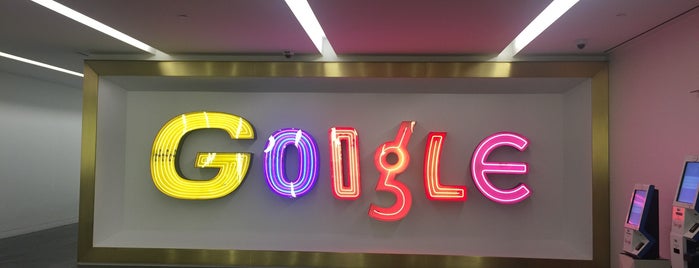
We went to a trip to the Google Offices to receive a tour. In this
tour we learned a lot about google. Having our own tour guide
made the experience even better, since he kept explaining everything
we didn't understand. There was so many things I didn't know about
the work Google did. Working in different sections, as groups trying
to improve it in a daily basis. Having seen the office in person has
helped me try to work for Google.
Friday, April 27, 2018
lab 20
For this lab we combined all the knowledge from our past labs into this lab. To do this lab we had a function that asked for your name. After you entering your name it asks you another question. Asking you if you want to add another sentence after your name. You would have the option to add the sentence or cancel that request.
 We used Dreamweaver to create this lab. We've been using this app for most of our labs, having this powerful/useful app makes our lives much easier.

Lab 19
For this lab we are supposed to make a mini game where you would have to guess a number from 0-5. When you guessed a number below the correct number, it would say to guess higher. But if you guessed higher then the correct answer, then it will say to guess lower. Once you get the correct answer it will tell you that you did. You can reset the number after you guessed the number.

We used Dreamweaver to create this lab. We've been using this app for most of our labs, having this powerful/useful app makes our lives much easier.

Lab 18
For this lab we used the same things as lab 17. We used the same symbols for the equations but the difference for this lab was that our first number is being replaced by the answer we get from the equation. If the initial was 5 and the second number was 3, we add these two numbers causing for the initial number to turn into 8. I wrote a small summary of how my lab works for those who don't know.

For this lab we used Dreamweaver to create this lab like many other of our past labs. This is going to be really helpful for our future.
lab 17
For this lab we had to to create a really easy calculator. It this included addition, subtraction, multiplication, division and modulo. For this each operation had different symbols, add was + , subtract was - , multiply was * , divide was / and modulo was %. This was entered to make an equation that lead to giving you the answer.
 For this lab

We used Dreamweaver to create this lab like many other of our past labs. This is important to have for future use because most of the jobs are going to have to require.
Subscribe to:
Posts (Atom)